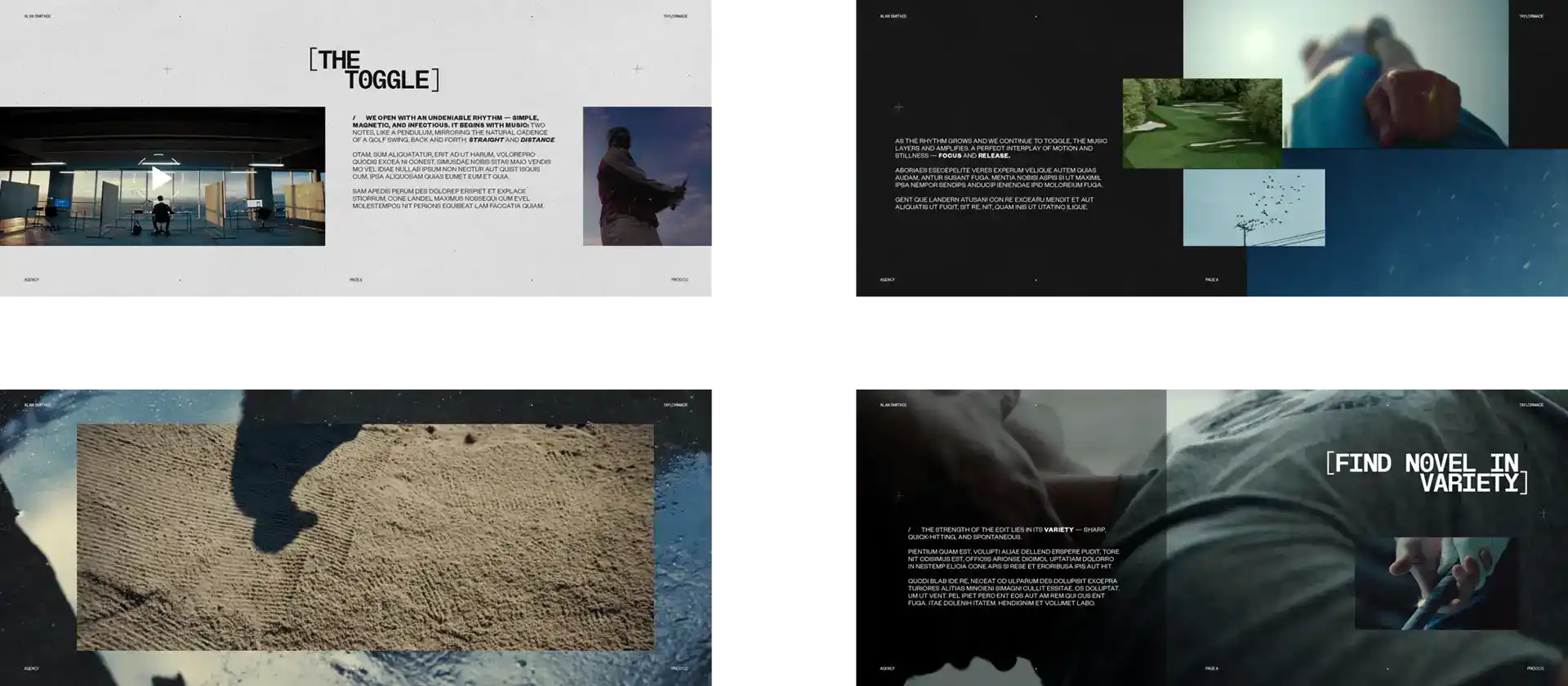
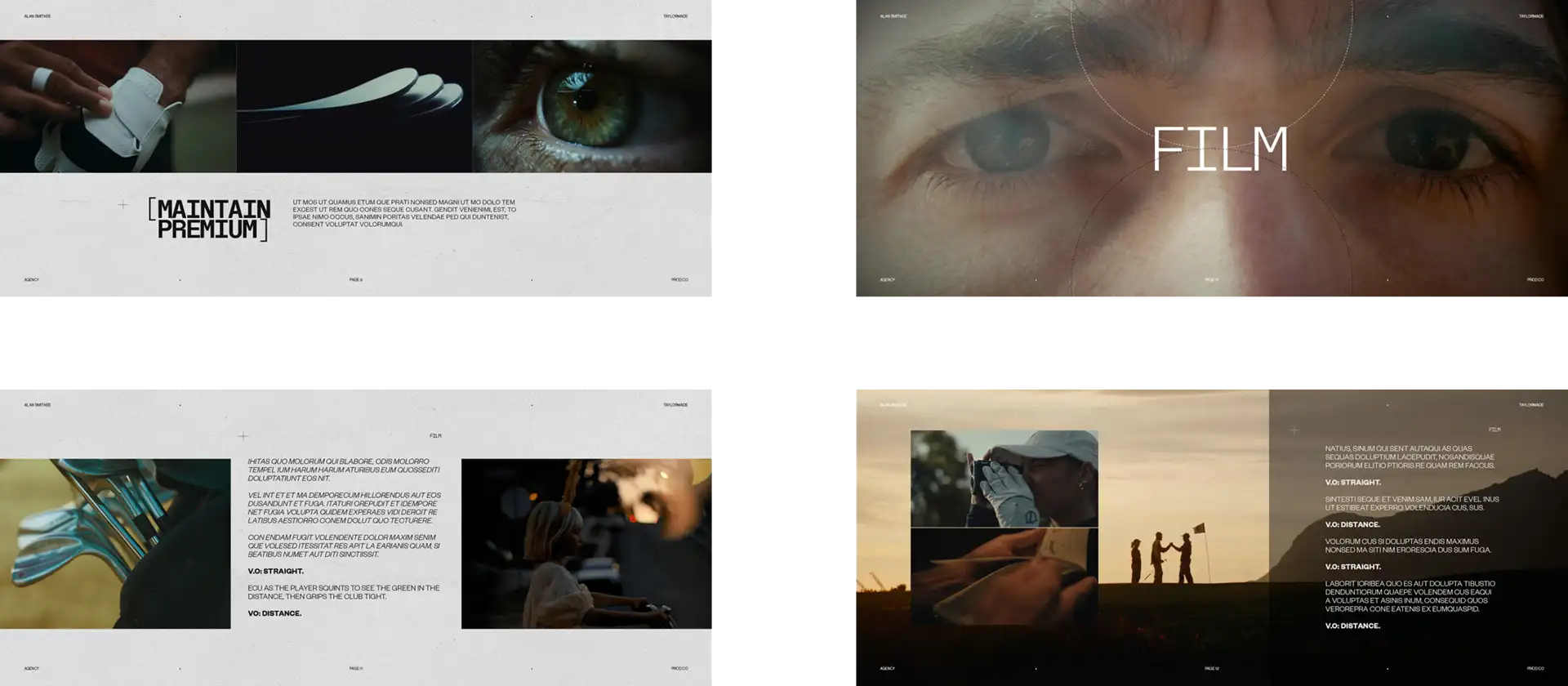
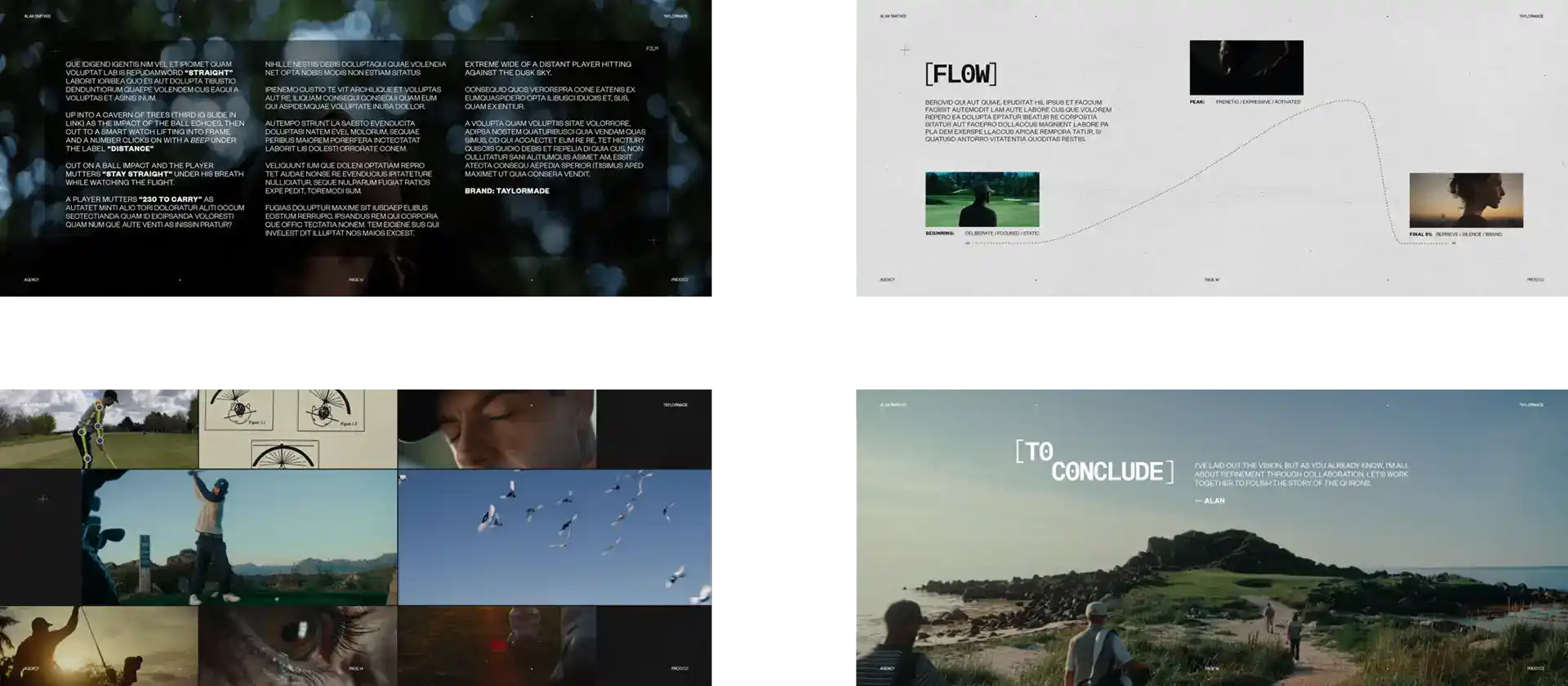
- With the help of a film storyboard template, you can visualize your story, technical details, and emotional arcs. This allows you to clearly convey these concepts to your team.
- Add sketches, shot descriptions, and notes to explain composition, camera angles, and actor movements. This simplifies the production process and facilitates scene planning.
- Incorporate sound design and technical notes into the storyboard to synchronize the visual narrative with audio components, enhancing the scene’s mood and impact.
- Tailor the template to your own genre conventions and pacing needs with visual signposts to help preserve tone and audience interest throughout the movie.
- Manage the storyboard as a living, collaborative document by using digital tools, versioning, and frequent updates to enable team members to share input and comments effectively.
- Use structure in continuity, logistics, and budgeting so you don’t make careless mistakes, waste resources, and deviate from the original creative vision while still having space for innovation.
Film Storyboard Template: A Roadmap to Film
A film storyboard template is your visual map for bringing ideas to life. It deconstructs every frame of a movie into rough drawings and annotations, enabling crews to collaborate around a common vision. Your template describes what happens, when it happens, and what it looks and sounds like.
It allows you to outline the narrative arc, monitor character transformations, and identify emotional beats with vivid images and reminders. Storyboards simplify sharing your ideas and ensuring the entire crew is on the same page about what the film should look and feel like.
1. The Frame
Every frame is a little portal into the movie world. Sketching out each frame (or using AI art generators) allows you to view the entire composition, making sure that nothing gets forgotten. These sketches assist in establishing character positioning, prop placement, and background layout.
Incorporating various camera angles into every frame can affect the audience’s perception of a scene. Consider how the director uses a low-angle shot to make a character look powerful. A wide shot can establish the scene and mood.
Selecting shot sizes is important. A close up shows feeling, while a long shot shows room or strain. Framing is what is in or out of view, like placing a crucial object in the corner for tension.
2. The Shot
Enumerate every movement in the shot so you don’t get mixed up. If a character grabs a glass, the frame depicts it, frame by frame. Marking transitions, a fade or quick cut, moves the story along.
Choose one focus per frame. That could be someone’s face, something in motion, or a response. These specifics assist the director of photography in designing the lighting and shooting of the scene.
3. The Action
Sketch arrows or use simple notes to demonstrate how people flow and interact. These storyboards should emphasize big moments, like a chase, handshake, or reveal. Plotting out these moves keeps the narrative clean and the momentum flowing.
For complicated scenes, say a mob running or a brawl, use arrows and annotations to indicate who moves where. Make sure these actions are consistent with the pace and spirit of the rest of the movie.
4. The Sound
Sound is crucial for atmosphere. Include symbols or annotations about music, sound effects, or dialogue. A climbing score can make a scene tense. Subtle background noise can add realism.
Jot down when a line needs to be whispered or shouted. Mark where other doors slam or birds sing. These little noises create dimension for the narrative.
5. The Notes
Take notes for anything outside the frame. It may be lighting hacks, camera settings, or costume reminders. Include team comments to troubleshoot or experiment.
Maintain a change log as you try things out. This breadcrumb trail of notes keeps everyone connected, even as the project evolves and expands.
The Director’s Dialect
A film storyboard template is more than a shot-organizing tool. It crafts a movie’s vernacular, helping squads navigate genre conventions, rhythm, and mood. With the Director’s Dialect, each option in storyboard examples allows the director to express intention and communicate to the audience in a manner appropriate to the story and medium.
Genre Nuances of the Film Storyboard Template
Genre informs nearly every aspect of a storyboard. For instance, a horror film frequently employs low angles, dim color schemes, and sudden cuts, whereas a rom-com relies on bright lighting and close-up reaction shots. Studying genre hits aids in identifying patterns that work, such as the creepy shadows of ‘Carrie’ or the rich tones of ‘Amélie’.
Cross-pollinating genres can also trigger new inspirations, such as fusing sci-fi visuals with the languid tempo of drama, as in Her. These decisions affect character behavior and plot construction, like the lone gunslinger dynamic in westerns or group casts in heist flicks.
|
Genre
|
Key Visuals
|
Common Tropes
|
Example
|
|
Horror
|
Shadows, tight framing
|
Jump scares, isolation
|
“The Conjuring”
|
|
Action
|
Quick cuts, wide shots
|
Car chases, hero shots
|
“Mad Max: Fury Road”
|
|
Comedy
|
Bright colors, close-ups
|
Slapstick, misunderstandings
|
“Superbad”
|
|
Sci-Fi
|
Futuristic tech, neon
|
AI, dystopian worlds
|
“Blade Runner 2049”
|
|
Drama
|
Natural lighting, stillness
|
Family tension, slow reveal
|
“Manchester by the Sea”
|
Pacing Control in Your Film Storyboard Template
Pacing is what makes the beat of a story. How shots stack on a storyboard can accelerate or decelerate flow. Rapid fire sequences utilize many panels, accelerators and hard cuts.
Slower scenes provide room between beats, exposing subtle glances and increasing suspense. Visual signals, a sudden zoom or a long pause, punctuate where suspense peaks or emotions explode. Interspersing these velocities keeps audiences engaged.
Contrast the frenetic chase scene in Baby Driver with the slow, suspenseful dinner in Get Out. Feedback from test viewers assists in adjusting these rhythms, ensuring the pace suits the audience’s requirements.
Tonal Consistency
Tone sews together the film’s atmosphere. Every film storyboard template panel can indicate tone via color, lighting, and sound notes, ensuring scenes have the sense of belonging to one universe.
Mood stays steady with recurring visual cues: rain for gloom and bright sun for hope. Moreover, clear cues for tonal shifts, such as going from humor to dread, help actors and crew match the vision.
Each scene should resonate with the movie’s central theme, so a comedy doesn’t veer towards melodrama or a thriller loses its thrust.
A Living Document: Your Film Storyboard Template
Chiefly, a film storyboard template ideally is a living document, not just a collection of sketches or boxes. Scripts change, shots shift, and creative ideas grow during production. The storyboard has to keep up, capturing every change in the script, director’s vision, or even on-set surprises.
Posting storyboards online allows everyone to read them anytime. This keeps directors, editors, and designers aligned, regardless of where the team is located. Through common digital files, response is rapid and transparent. Team members can add new ideas or adjust panels on the fly.
Furthermore, in this manner, the film storyboard template expands with the project, not in spite of it.
Digital Integration
Digital tools make storyboarding way faster than drawing by hand. Storyboarder, FrameForge, and Canva are examples of software that allow users to drag, drop, and move panels with a mouse. Some apps even let you link a piece of audio or video to a storyboard frame.
This explicitly aids teams in visualizing how a scene’s timing, sound, and camera moves coalesce. Exporting and sharing are a breeze with them. Teams can work on cloud-based platforms so that anyone can check out the newest version, make annotations, or experiment with new concepts without having to wait for a file to be sent through email.
Some storyboard apps provide templates, brush styles, and camera icons to assist teams in adding detail. This flexibility minimizes bottlenecks and inspires more creative work.
Collaborative Markup
When teams markup storyboards as a group, they receive more than a single perspective. Directors, cinematographers, and sound designers can highlight missed opportunities. On, say, Google Drive, Milanote, or Miro, teams are able to comment, highlight, or suggest edits.
This maintains dialogue. With everyone viewing and editing the document, there is less ambiguity about what a shot signifies or is going to look like. Markup tools enable writers and artists to collaborate panel by panel, guaranteeing story and style align.
This real-time feedback allows issues to be addressed early, before filming commences. It really gets new team members up to speed, as they can see all changes and thinking in a single location.
Versioning
Version control is the key in projects that move quickly. Label each storyboard update with a version number, such as “v1.2” or “final draft,” to prevent confusion. This aids the team in locating the most recent update quickly.
By saving older versions, directors and producers can revisit how ideas evolved. We find it handy to keep old storyboards stored for reference or to educate new recruits. Cloud storage or project management software makes it easy to archive and reference previous versions.
With a method, we all understand what film storyboard template to apply and how decisions developed.
Preventing Anarchy
A film storyboard template is chiefly vital for maintaining order when multitudinous minds unite. It provides a common blueprint so concepts don’t slip through the cracks or get jumbled. Without this type of plan, your filming can become too many directions at once.
Defining storyboards more clearly on how and when you make them and use them can help teams be on the same page. This way, everyone knows when to expect what and what to do when. Following the plan prevents ad-hoc changes that cause delay or extra expense.
Continuity
- Enumerate every scene and record any modifications to props, costumes, or sets.
- Record when a character enters, exits, or changes clothes.
- Follow the time of day or weather appearing in each shot.
- Note any dialogue or action changes from the script.
- Locate any camera angle or lighting changes that could disrupt the momentum.
It’s film storyboard template prevents anarchy. If the hero is wearing a blue shirt in one scene and a red one in the next, somebody will catch it. Return to the board frequently during shoots to catch minor lapses before they accumulate.
Even a change in a window’s view or a moved lamp will disrupt the flow of the film if untracked.
Logistics
Storyboards help you plan the shoot, day by day. They indicate what scenes to shoot first and which sets or locations are required. This allows the crew to reserve locations, hire equipment, and schedule actors in the proper sequence.
The storyboard notes whether a scene requires special props or weather. A large pursuit might require street closures and additional background actors. By consulting the storyboard, every team understands what to deliver and when.
It keeps the work flowing and reduces wasted time. Consult with every department — lighting, sound, costumes — to ensure the plan works for them. If a scene is tough to film, the crew can identify it in advance and devise an alternate strategy.
This prevents last minute scrambles or unexpected surprises that may halt filming.
Budgeting
|
Scene
|
Estimated Cost (€)
|
Resources Needed
|
Budget Limit (€)
|
|
Car Chase Sequence
|
33,000
|
Stunt drivers, cars
|
35,000
|
|
Café Dialogue
|
2,500
|
Café set, extras
|
3,000
|
|
Rooftop Finale
|
18,000
|
Safety crew, harness
|
20,000
|
Mark early the scenes that are most expensive or require special effects. The film storyboard template lets the crew see which parts require the most funds. Distribute this info to all so it’s clear what they can and can’t do.
If a scene costs too much, adapt the idea before money runs out.
The Creative Paradox
Film storyboard templates rest at the epicenter of a creative paradox. They provide a vehicle for molding ideas with just enough concreteness to assist a group in making progress without extinguishing the flame of genius. Every filmmaker must contend with the creative paradox of maintaining a project’s deadline while allowing for organic growth of new ideas.
The Creative Paradox, it’s key to embrace both discipline and freedom simultaneously. It’s a template, providing a step-by-step plan, but the best outcomes arise when it leaves space for modification. A director, for instance, might intend a close up for an important moment.
Changing Your Mind On Set
A storyboard template assists on both counts. It sets up every play, so the squad is prepared for every day. It allows room for the real world, where things frequently fall apart. When a story must shift, the template is a roadmap, not a straitjacket.
On set, the light changes or the actor contributes something unexpected. The team may discover a wide shot works better. The film storyboard template isn’t discarded. Instead, it serves as a touchstone. Transformations occur in the frame it provides. That way the squad can remain flexible yet still progress toward the same objective.
Innovation thrives inside a good recipe. The vision is established by the storyboard template. Inside that box, every crew member can contribute ideas. A camera man could discover a new angle. A designer could adjust the color of a set.
A Living Document to Keep Everyone On Board the Vision
When everyone understands the plan, they can push the edges. For animated films, animators frequently employ the template to storyboard new humor or specifics. If these alterations match the tone, they could define the entire narrative. The structure does not stifle creativity; it houses it.
A team can move scenes around or experiment with a different sequence, confident that the structure will sustain the narrative. It’s in this blend of order and chaos that the best movies are crafted.
Film Storyboard Templates in Action
Think of a film storyboard template, which allows you to plan out a scene, showing visuals and notes before filming. It provides a structured manner to dissect each shot, which is beneficial for both novice and experienced filmmakers. Nothing like a sample project to make it easy to see how the template works in action.
Each box in the template represents a shot. You whip out a film storyboard template for the camera. Below the sketch, you note the shot type, such as “wide shot” or “close-up.” Then, you add notes about movement, dialogue or mood. For instance, in the coffee scene, the initial panel could depict a pair of individuals sitting at a table. The notes could read “medium shot, soft light, quiet tone.” The following box could close up on a character’s hand lifting a cup. You add notes such as “close-up, slow hand motion, background noise recedes.
Parts of the Template
Every part of the template has a purpose. The image panel is where you outline what will appear. Not high art, mind you. Even stick figures go, as long as the concept is evident. The shot type box allows you to specify whether it is a wide, medium, or close-up shot. That helps the crew know how to arrange the camera.
Action and dialogue boxes are for what happens and is said. For the café, write something like ‘Character A whispers to Character B.’ Notes can be camera moves, light, mood, and sound. If you want a moving shot, you write ‘pan left to follow Character A.’ If color is important, you may observe “warm hues, afternoon sun.” This incremental method keeps the entire team aligned.
Why Not Experiment?
Experimenting with format, they say. Some teams prefer a straightforward three-panel strip. Others prefer six or more panels per page. Some get color for key props or moods. Others stay with black and white. You can use paper, tablets, or online tools.
Switching up the style aids in fitting the project. For action-packed sequences, multiple panels with rapid sketches are most effective. For slow scenes, fewer panels with more detail can assist.
When you’re done with the template, look over it and see if every shot is explicit and informative to the story. Seek out cracks, like absent camera movements or fuzzy action. Check if the mood matches what you desire. If one box is too busy, split it into two. If the flow is poor, rearrange the panels.
Present the template to others for input. The target is an actionable template we can all apply.
Conclusion: The Film Storyboard Template
A film storyboard template lends form to a free-wheeling concept. It lays out every shot in clear view, simplifying and speeding tough decisions. Teams use it to share a common plan. No one gets lost or stuck guessing what should come next. With a nice template, each frame indicates definite steps. Everyone knows their mark, from grip to director. Think about any major film. Storyboards kept the shoot on schedule and the crew in sync. To sketch out your next project, select a template that matches your style. Experiment with layouts and see what makes you work best. The proper beginning provides your tale with a firm backbone. So go into storyboarding and see your film idea grow a real backbone.
What is a film storyboard template?
About: movie storyboard template It assists directors in mapping out scenes, camera angles and actions prior to filming. This type of template saves you time and makes communication crystal clear for the entire crew whether it’s for film or commercial treatment templates.
Why is a storyboard important for filmmakers?
A storyboard transforms concepts into a visual map. It gets everyone on the same page with the director’s vision. It minimizes confusion and errors on set, which leads to superior outcomes.
How can a storyboard template prevent mistakes during production?
Film storyboard template It guarantees each member of your team knows what to do. This minimizes mistakes and helps maintain the project on schedule.
Can storyboards change during production?
Yes, storyboards are alive. Directors and teams can revise them as concepts develop. This flexibility fosters creativity and problem solving on set.
What should a good storyboard template include?
A decent template will contain frames for sketches and space for notes and scene info. It helps maintain clarity of information for all parties.
Who uses film storyboard templates?
Directors, cinematographers, animators, and production crews utilize storyboard templates. They are the backbone of any project requiring visual clarity in advance, from the short film to the large production.
Are there digital tools for creating storyboard templates?
Yes, numerous digital platforms and software provide storyboard templates. These platforms enable simple editing, sharing, and collaboration, enhancing workflow and accessibility for teams around the world.